
Snagging · Re-inspection · Handover
Snag the flat. Send the report. Skip the evening write-up.
Every snag photographed, marked up and filed against its room as you go. Your logo, your colours and your signature on a PDF the buyer or the developer can act on.
Coming soon to the App Store and Google Play


Snagging inspectors and handover teams
Sound familiar?
01 / Pain → fix
Two hours snagging, three hours typing.
The report builds itself as you walk. Dictate the details, reuse your common phrases, and tap once for the PDF.
02 / Pain → fix
Which room was that photo?
Every snag is filed against its plot and room, and the capture screen always shows where you are.
03 / Pain → fix
Was it fixed at re-inspection?
Run the re-inspection on the same project. Every snag keeps its status, its proof photos and its full history.
Set up the way your sites are.
You name the levels. Set the structure up once per project, and every inspection, finding and report uses it.
- L0Development
- L1Plot 14
- L2Kitchen
- L0Block A
- L1Level 2
- L2Apt 204
- L3En-suite
Checklists ready for you.
Built-in checklists that fit the work, ready on day one. Use them as they are, or copy one and make it yours.
Internal Unit Snag
Walls & CeilingsFloors & SkirtingDoors & WindowsJoinery & FittingsElectrical FittingsPlumbing Fixtures
Critical itemsFollow-up questions
External & Common Areas Snag
Façade & RenderExternal Doors & GatesDrainage & GulliesPaving & Landscaping
Critical items
Pre-Handover Snag List
FinishesDoors & Windows
Practical Completion & Client Handover
DocumentationKeys & AccessServices CommissionedFinal Clean & DefectsClient Acceptance
Critical itemsSignature
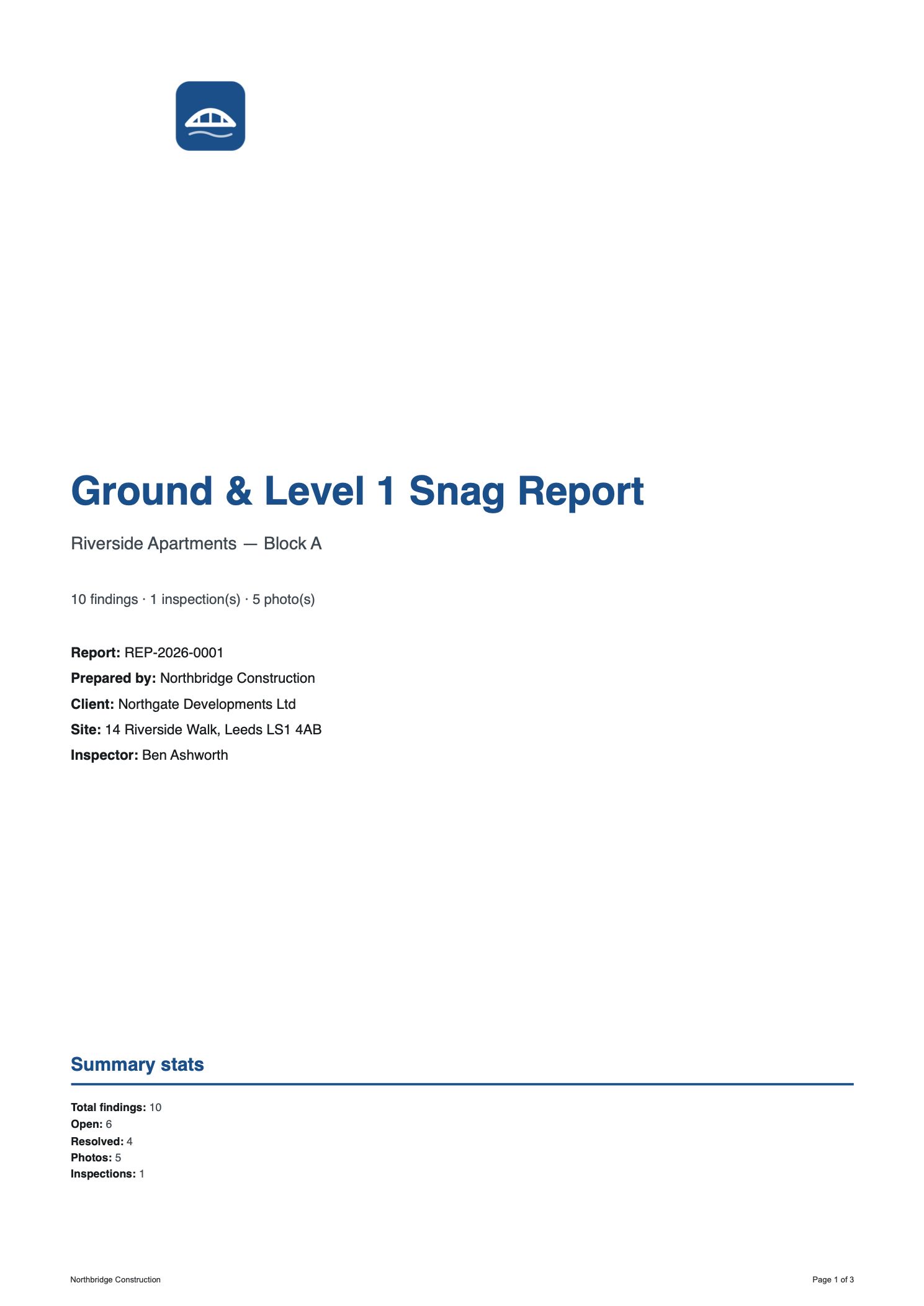
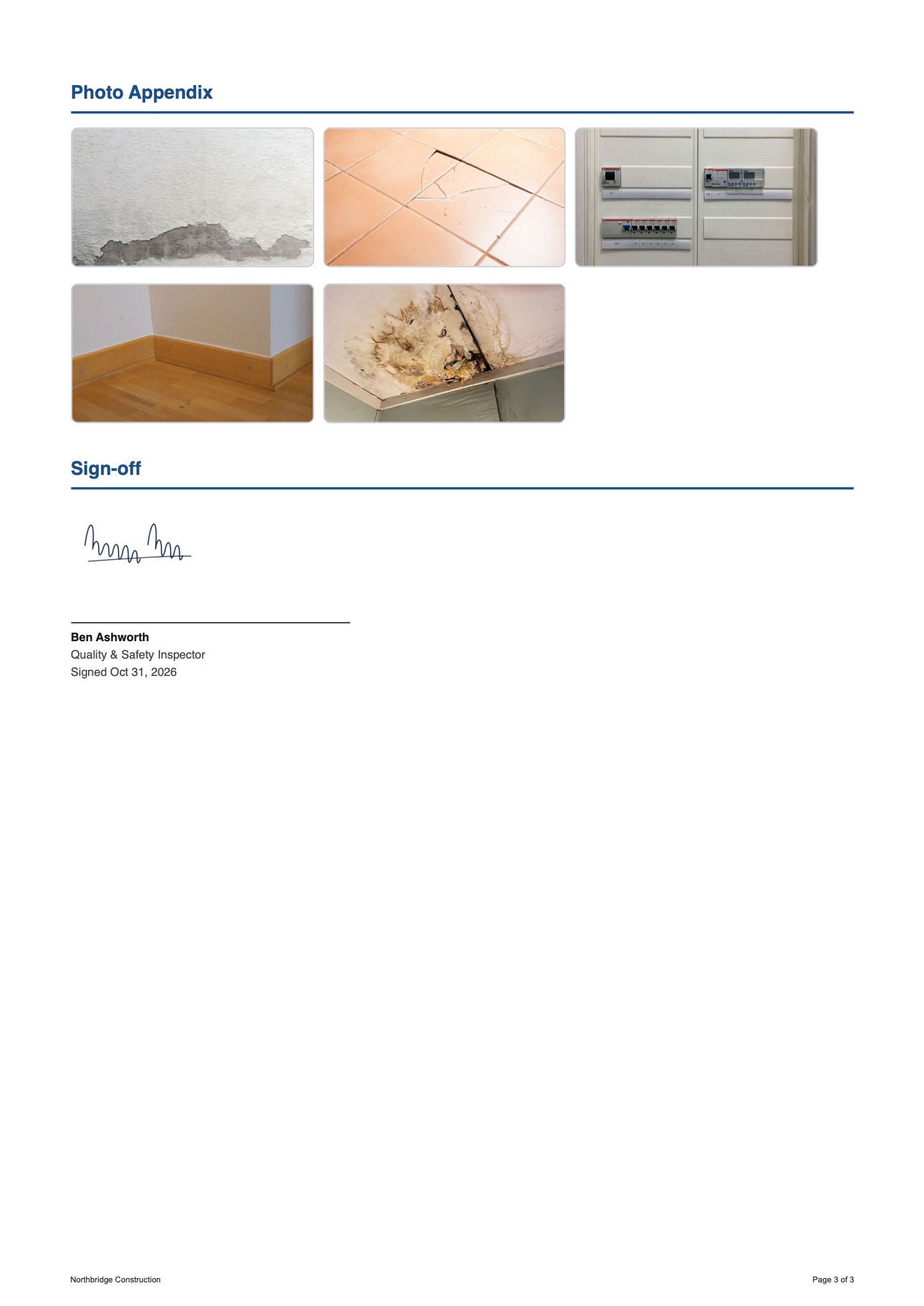
Reports your buyer can act on.
Every finding with its photos and mark-ups, its location, owner and status, and photos of the fix under “After”. One tap for the PDF, shared from your phone.
Who reads it
- The homebuyer
- Developer customer care
- The site manager
On Pro it carries your logo, colour and signature, with no product footer.
Ask your assistant.
Connect your company to ChatGPT or Claude and ask in plain words.
“Write a friendly summary of the Level 2 snag for the developer, most important items first.”
“Which categories come up most across Riverside Apartments?”
“Generate the handover report for Parkview Offices.”
Which plan fits.
Pro is made for this. Your branding on every report, no product footer, report templates, and enough reports each month for a full diary. Try the whole flow on Free first.
Prices are shown in the app and the store, in your currency, before you subscribe.
Compare plansQuestions.
Can the report carry my company’s branding?
Yes, on Pro. Add your logo, brand colour and signature once, and every report uses them. Free reports use the standard layout with a small product footer.
Can I dictate snags?
Yes. Dictate the title and details. Dictation runs on the phone, so it works with no signal.
How do re-inspections work?
Start a new inspection on the same project. Snags keep their status, proof photos and history, so you can see what was fixed and what wasn’t.
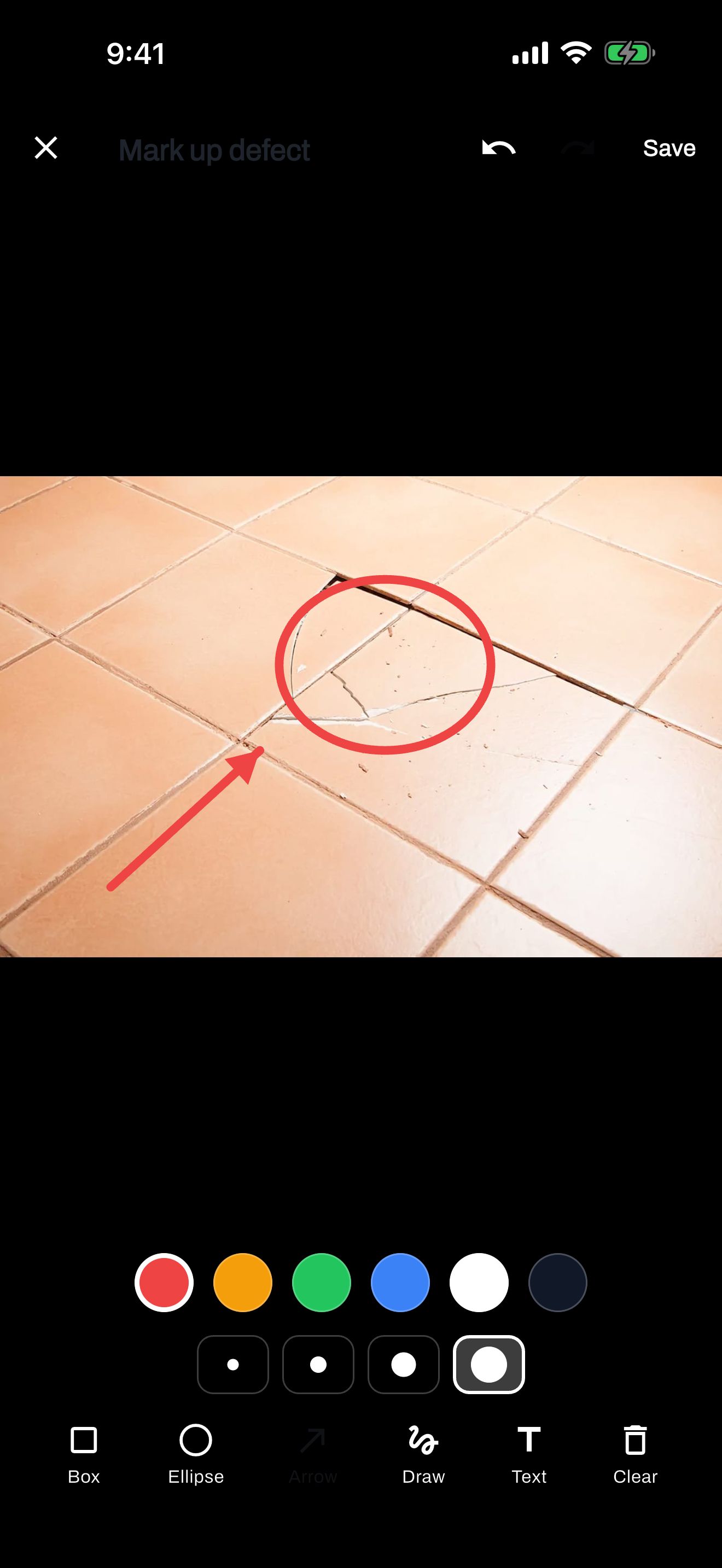
Can I mark up photos?
Yes. Draw boxes, circles, arrows and freehand lines, or add text, straight on the photo. The marked-up photo goes into the report.
Your next walk-round, done properly.
Free to start. Sign in with an email code and run your first inspection today.
Coming soon to the App Store and Google Play