
Punch list · Snag list · Closeout
Punch lists that get closed, not just written.
Walk the floor, snap each item, give it to the right trade with a due date, and see what’s still open from your phone. It works below ground and syncs when you’re back up.
Coming soon to the App Store and Google Play


Contractors and site managers
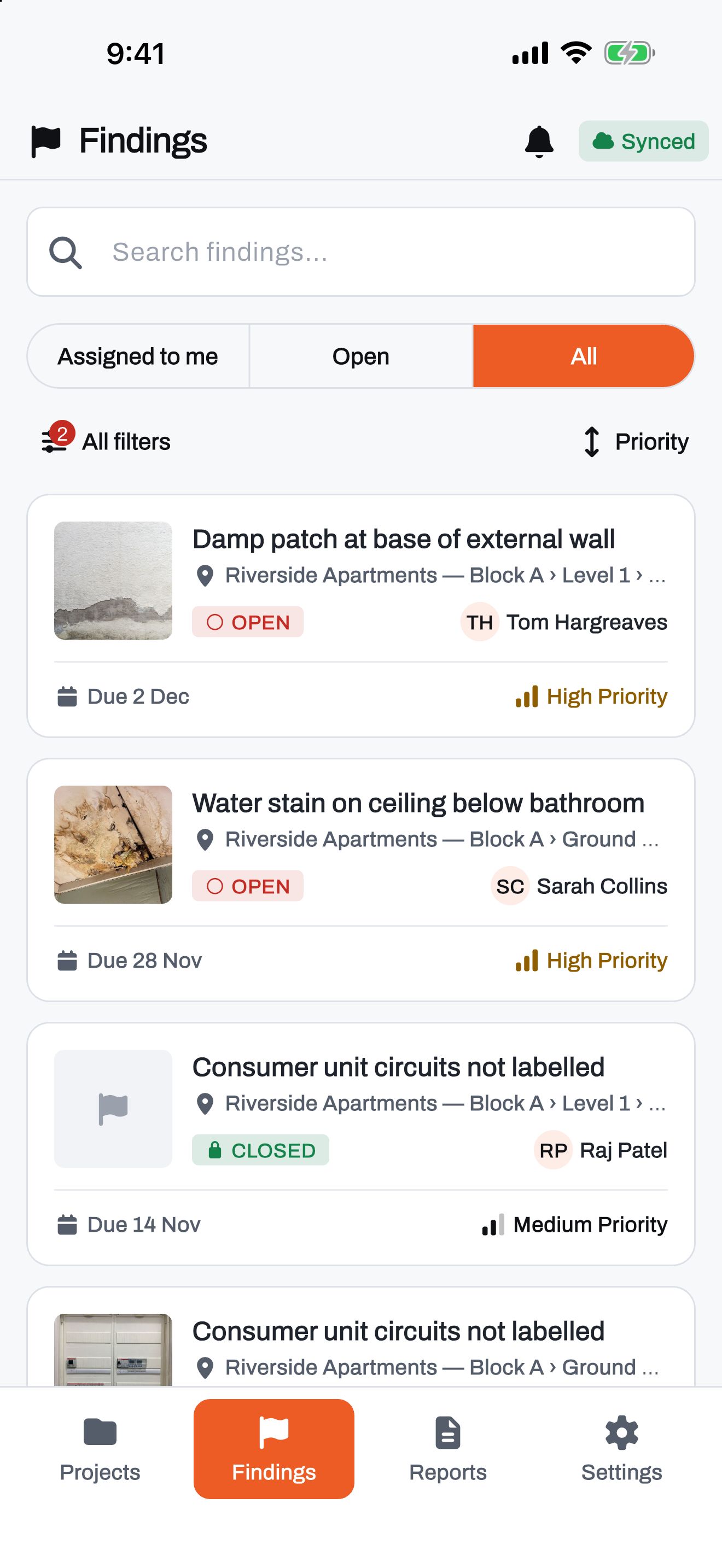
Sound familiar?
01 / Pain → fix
The trade says it’s done. It isn’t.
Mark it resolved and you’re asked for a photo of the fix. Only a resolved item can be closed, and the history shows who changed what, and when.
02 / Pain → fix
Two people logged the same snag.
One shared list for the whole team, synced to every phone and filtered by location, so everyone works from the same items.
03 / Pain → fix
The closeout list is built by hand.
One tap for the inspection PDF. On Pro, one report rolls up every inspection in the project.
Set up the way your sites are.
You name the levels. Building, floor and unit; or block, zone and grid line. Set it up once per project and every inspection reuses it.
- L0Building A
- L1Level 3
- L2Unit 304
- L3Bathroom
- L0Block C
- L1Zone 2
- L2Grid line C4
Checklists ready for you.
Built-in checklists that fit the work, ready on day one. Use them as they are, or copy one and make it yours.
Pre-Pour Concrete
FormworkReinforcement & CoverCast-in ItemsPre-Pour Authorisation
Critical items
Blockwork & Brickwork
Setting OutMortar & JointsWall Ties & DPCTolerance
Critical items
Waterproofing & Tanking
Substrate PreparationMembrane ApplicationProtection & Testing
Critical items
Weekly Progress Walk
ProgrammeMaterials & DeliveriesLabour & ResourcesQuality ObservationsSafety ObservationsLogistics & Access
Critical items
General Site Safety Walk
Access & EgressWelfarePPEWork at HeightElectricalHousekeepingPlant & EquipmentHazardous Substances (COSHH)
Critical items
Internal Unit Snag
Walls & CeilingsFloors & SkirtingDoors & WindowsJoinery & FittingsElectrical FittingsPlumbing Fixtures
Critical itemsFollow-up questions
Pre-Handover Snag List
FinishesDoors & Windows
Reports your client can act on.
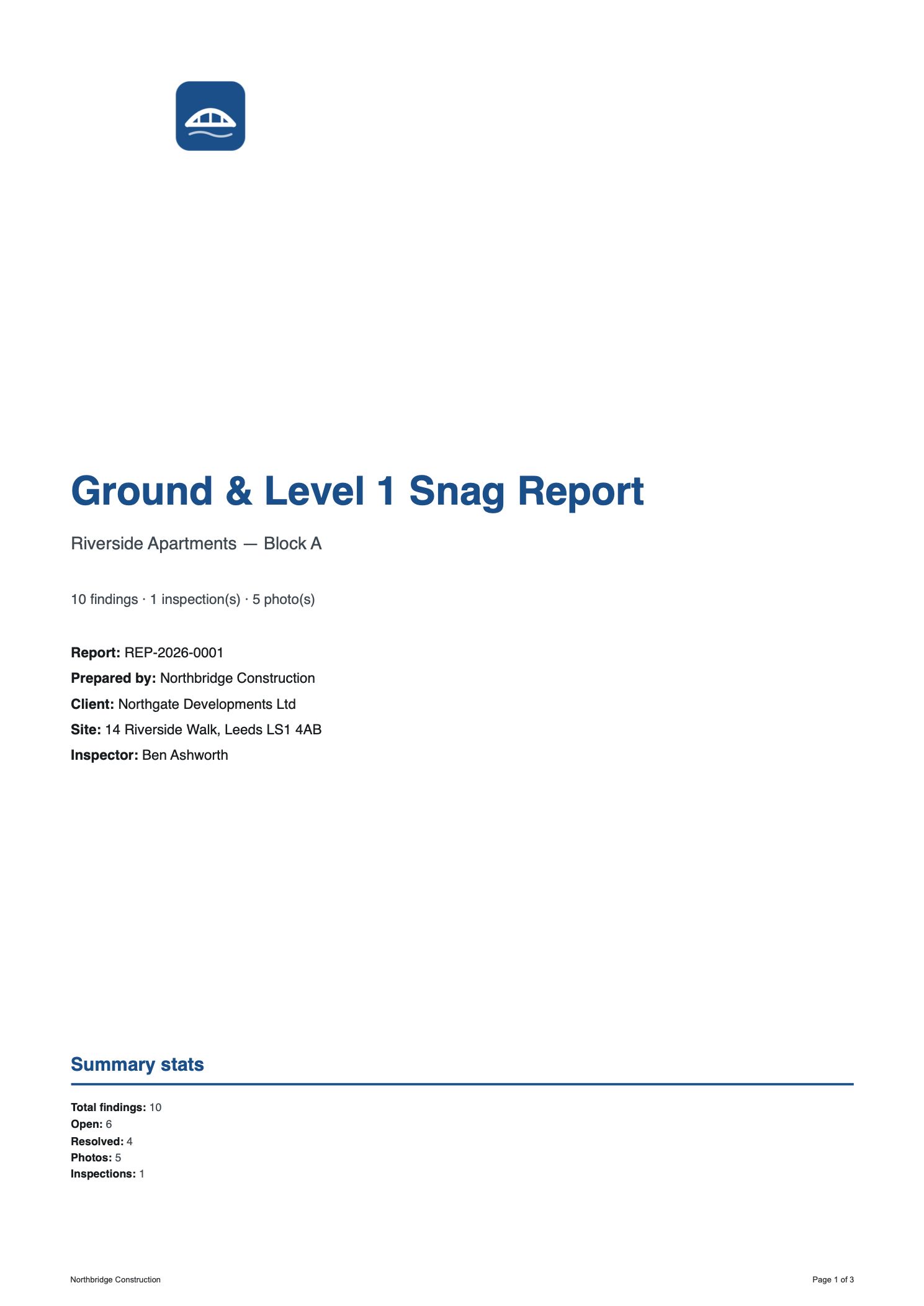
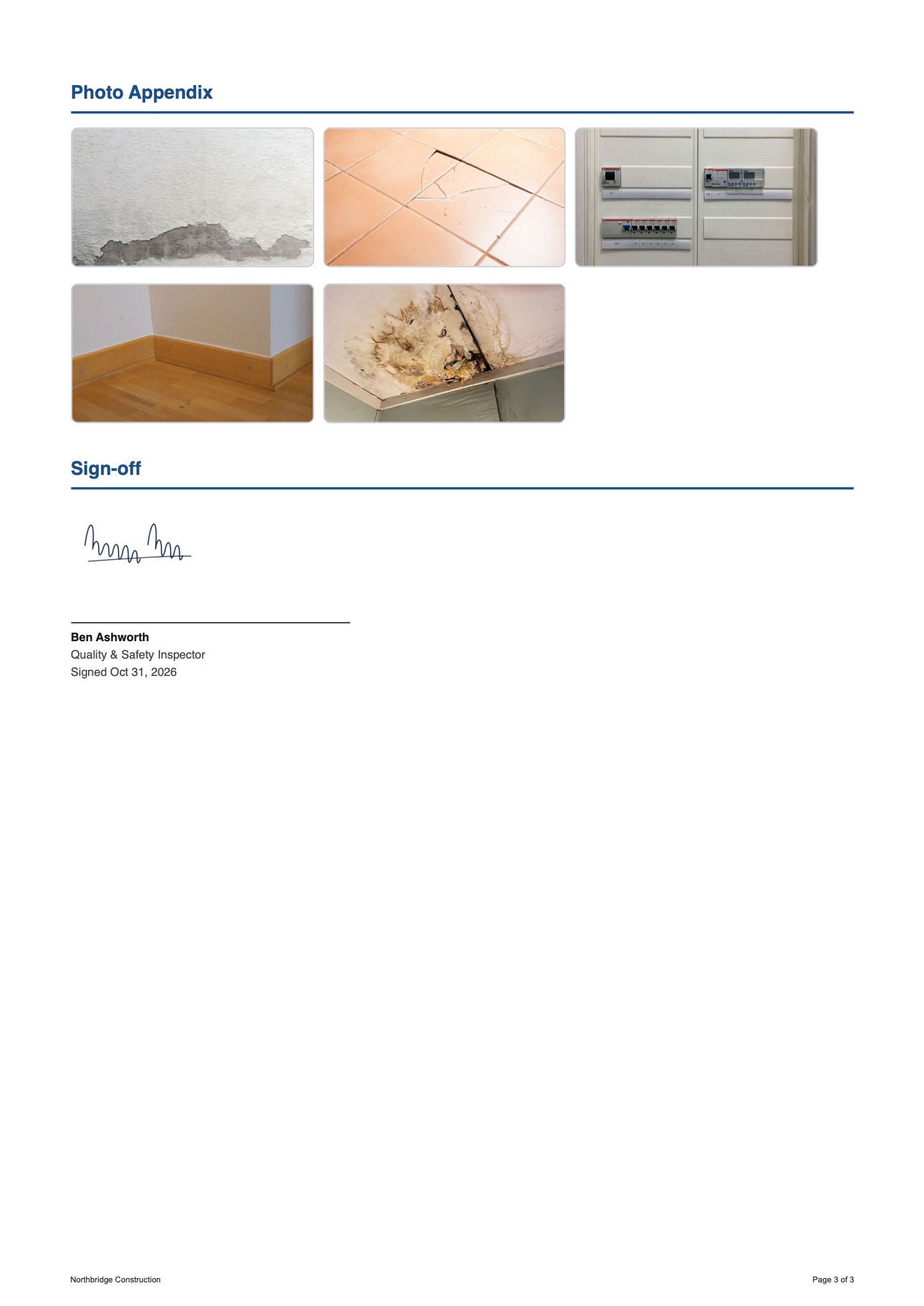
Every finding with its photos and mark-ups, its location, owner and status, and photos of the fix under “After”. One tap for the PDF, shared from your phone.
Who reads it
- The client
- The architect
- The project manager
- Your subcontractors
On Pro it carries your logo, colour and signature, with no product footer.
Ask your assistant.
Connect your company to ChatGPT or Claude and ask in plain words.
“What’s still open at Riverside Block A, by category?”
“Assign every open snag on Level 2 to Raj Patel, due Friday.”
“Which assignee has the most overdue items?”
Which plan fits.
Start on Free with one live project to try it on a real job. Move to Pro when the rest of the team joins, or when the client should see your logo on the report and the whole project in one roll-up.
Prices are shown in the app and the store, in your currency, before you subscribe.
Compare plansQuestions.
Do my subcontractors need the app?
No. Add them as contacts and assign items to them; you track their items for them and send them the PDF. Teammates who do install it see the items given to them on their own phone.
Can I keep drawings with the project?
Yes. Site plans, layouts, permits and other files can be kept with the project as project documents, available offline.
Does it work across several sites?
Yes. Each site is a project with its own client, reference and location structure, and the findings list filters across them.
Can I run the same walk again next week?
Yes. Run as many inspections on a project as you need, using the same locations and checklists each time.
Your next walk-round, done properly.
Free to start. Sign in with an email code and run your first inspection today.
Coming soon to the App Store and Google Play