
Snag list · Punch list · Site inspection

Walk the site. Snap every snag. Send the report.

SnagHawk ties every defect to where it is, a photo that proves it, who's fixing it and whether it's done. It works with no signal, syncs to your whole team, and answers questions in ChatGPT and Claude.

Coming soon to the App Store and Google Play

App Store (coming soon)Google Play (coming soon)

Free to start · No sales call · Works offline

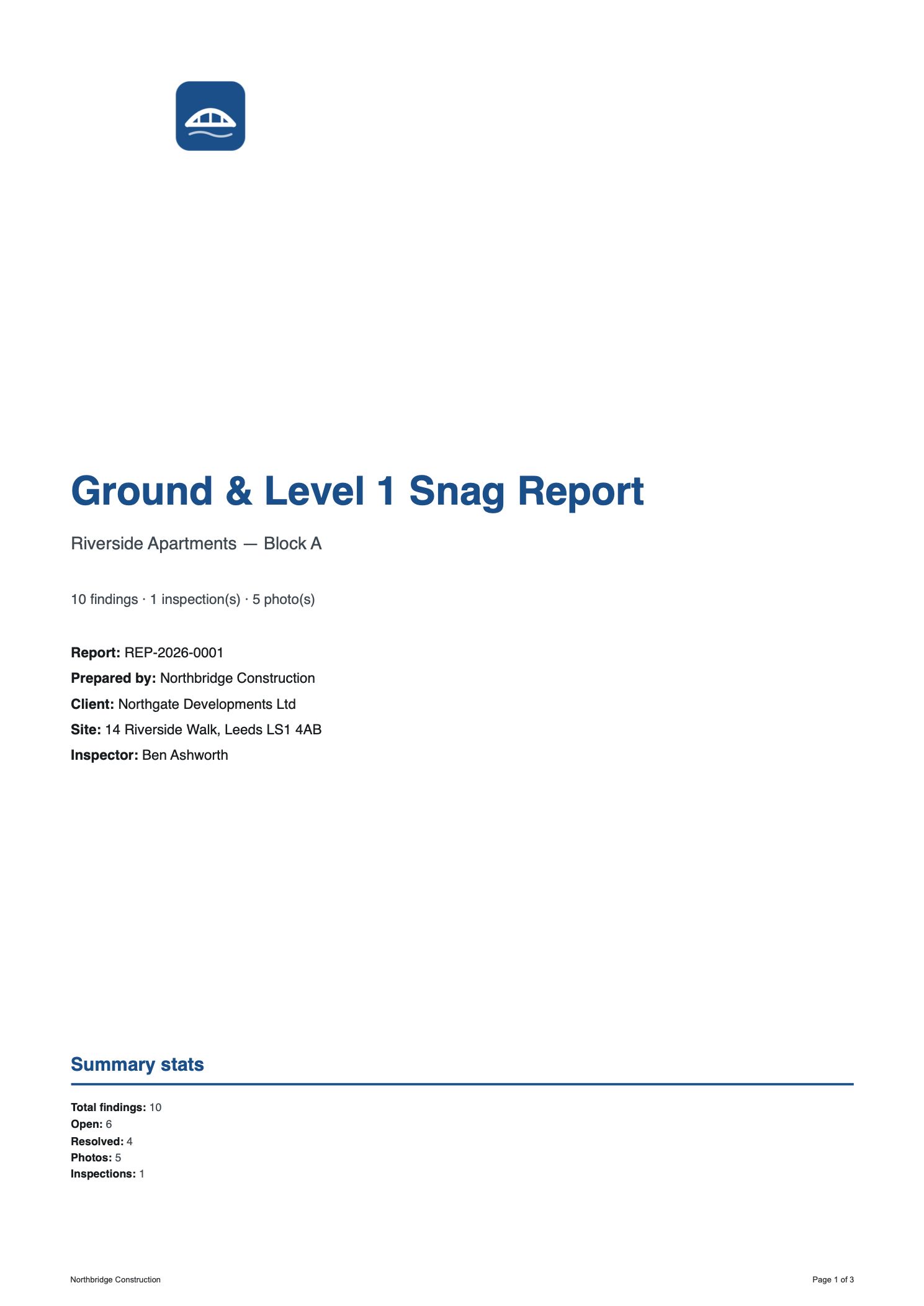
Cover page of a generated PDF: Ground & Level 1 Snag Report for Riverside Apartments, Block A, prepared by Northbridge Construction for Northgate Developments Ltd, with summary stats: 10 findings, 6 open, 4 resolved.
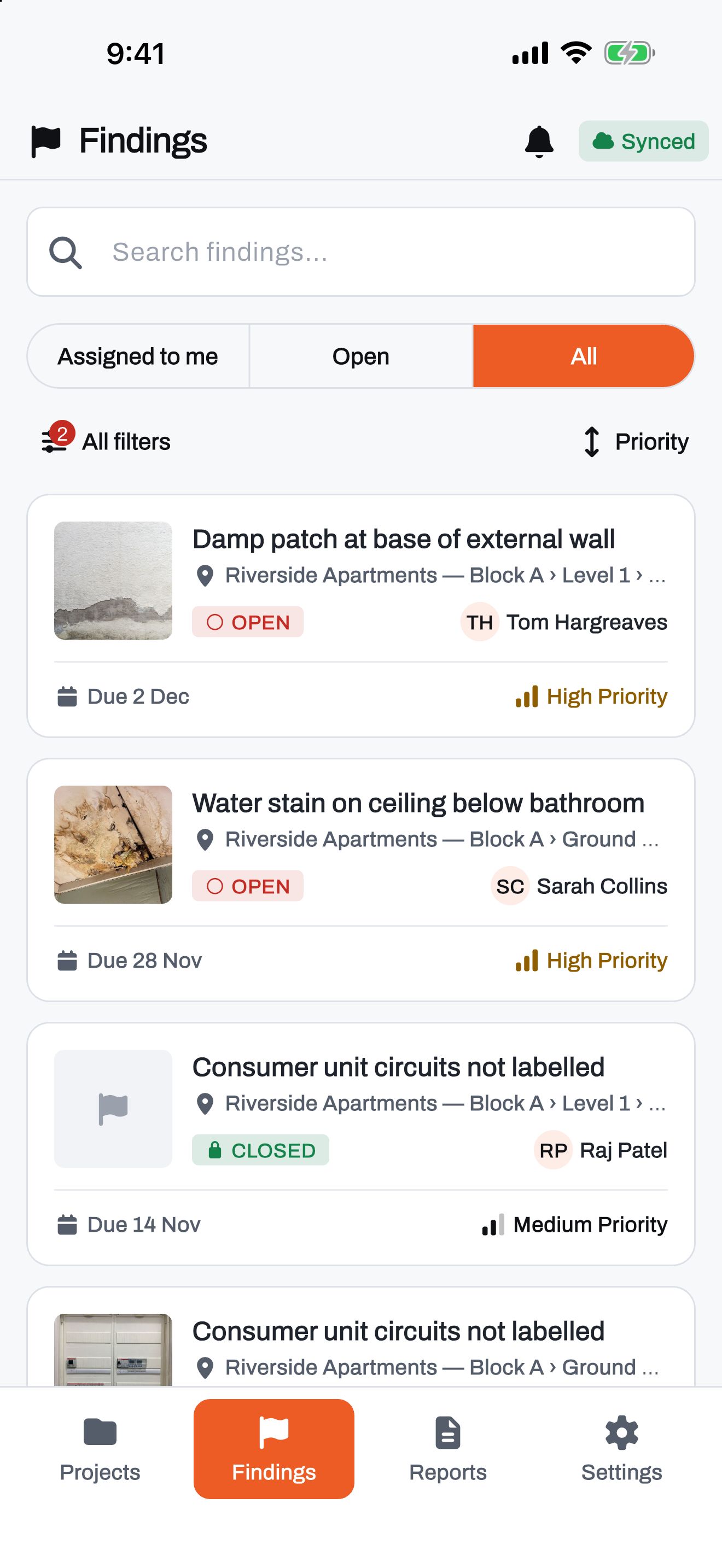
Findings list for Riverside Apartments, Block A: a damp patch and a ceiling water stain, both open and high priority, and a closed consumer unit snag, each with its location, owner and due date. Status chip reads Synced.

Sound familiar?

Most site teams run on the camera roll, a WhatsApp group and a spreadsheet typed up at night.

  • 01 / Proof

    Two hours on site. Three hours writing it up.

    The report builds itself as you walk. One tap for the PDF.

  • 02 / Place

    IMG_4821.jpg. Which flat was that?

    Every snag is filed against its block, floor and room, and the capture screen always shows where you are.

  • 03 / Owner · Status

    “It’s fixed.” Is it?

    Give every snag a named owner and a due date, and get a photo of the fix when it’s done.

  • 04 / Offline

    No signal in the basement.

    Everything works offline and syncs when you’re back up.

  • 05 / AI

    The office wants an update. Again.

    The office asks ChatGPT or Claude instead of you.

    How

Place. Proof. Owner. Status.

Every defect tied to four things, from the first photo to the signed-off report.

  1. 01 / Place

    Set up the site once.

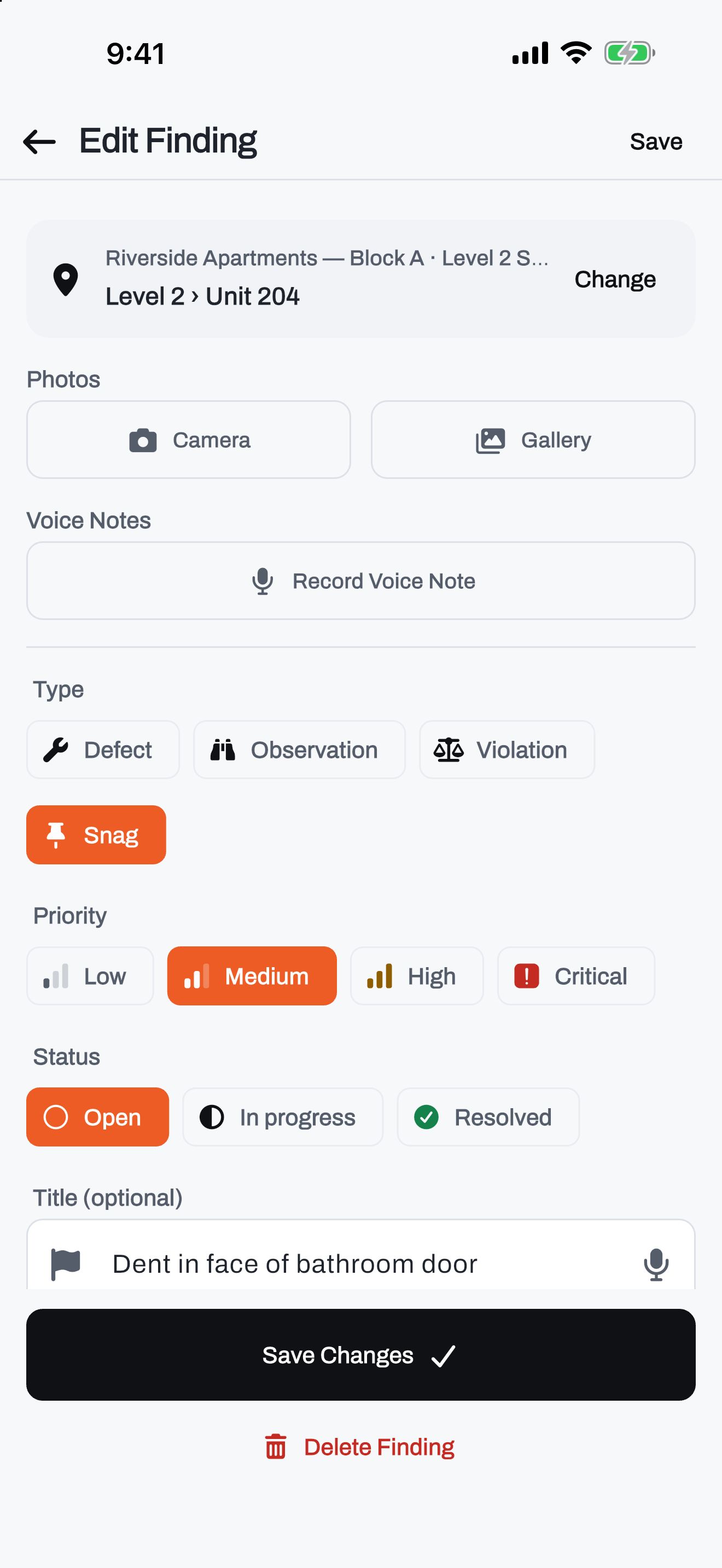
    Block › Level › Unit, in your own words. Every inspection on the project reuses it, and capture always shows where you are.

    Editing a finding filed against Riverside Apartments, Level 2 › Unit 204: photo and voice note buttons, type Snag, priority Medium, status Open, title "Dent in face of bathroom door".
    FIG. 1 — Capture · Level 2 › Unit 204
  2. 02 / Proof

    Snap, mark up, dictate.

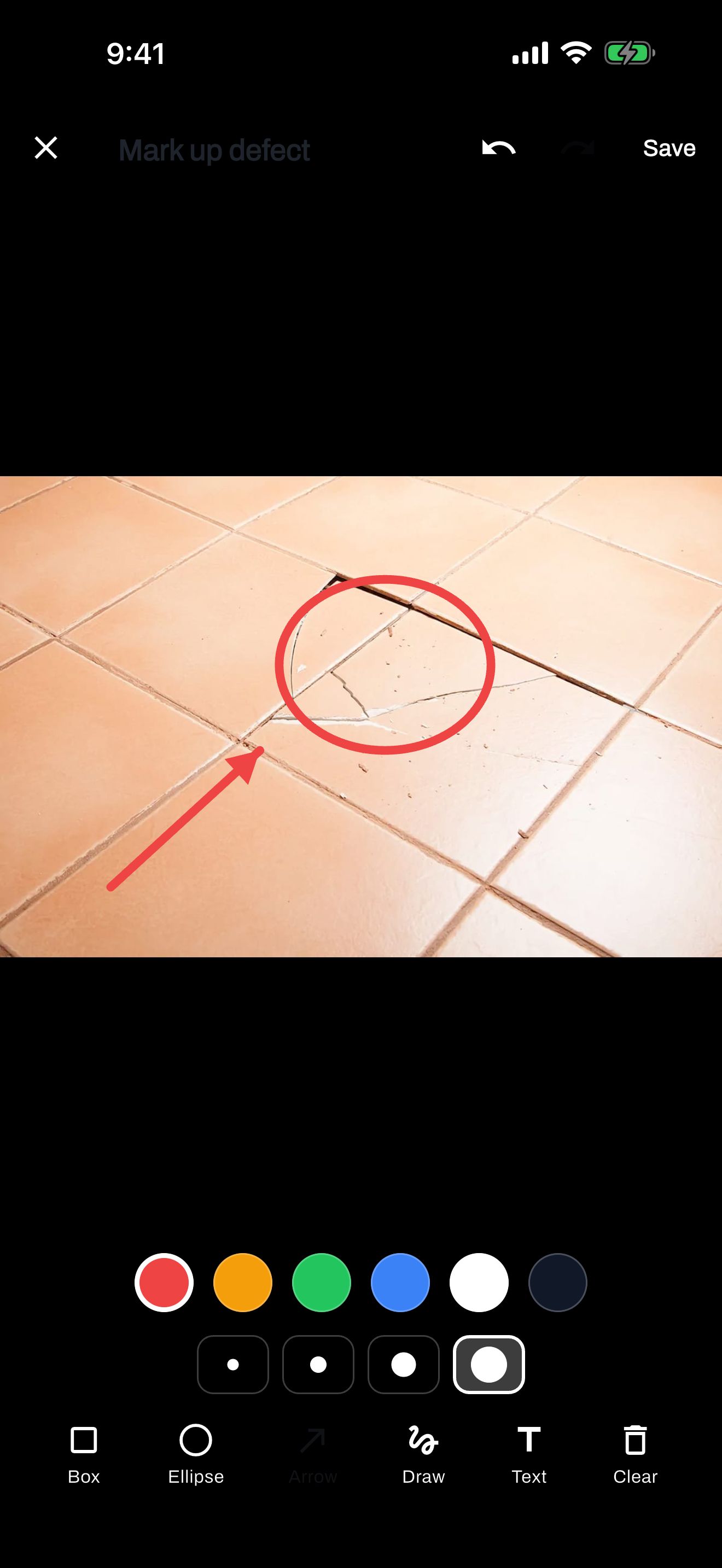
    Circle the crack, add an arrow, say what it is. Done in seconds, with no signal needed.

    Photo mark-up screen: a cracked floor tile circled in red with an arrow pointing to the crack, and box, ellipse, draw and text tools below.
    FIG. 2 — Mark-up · cracked tile
  3. 03 / Owner

    Give it to someone.

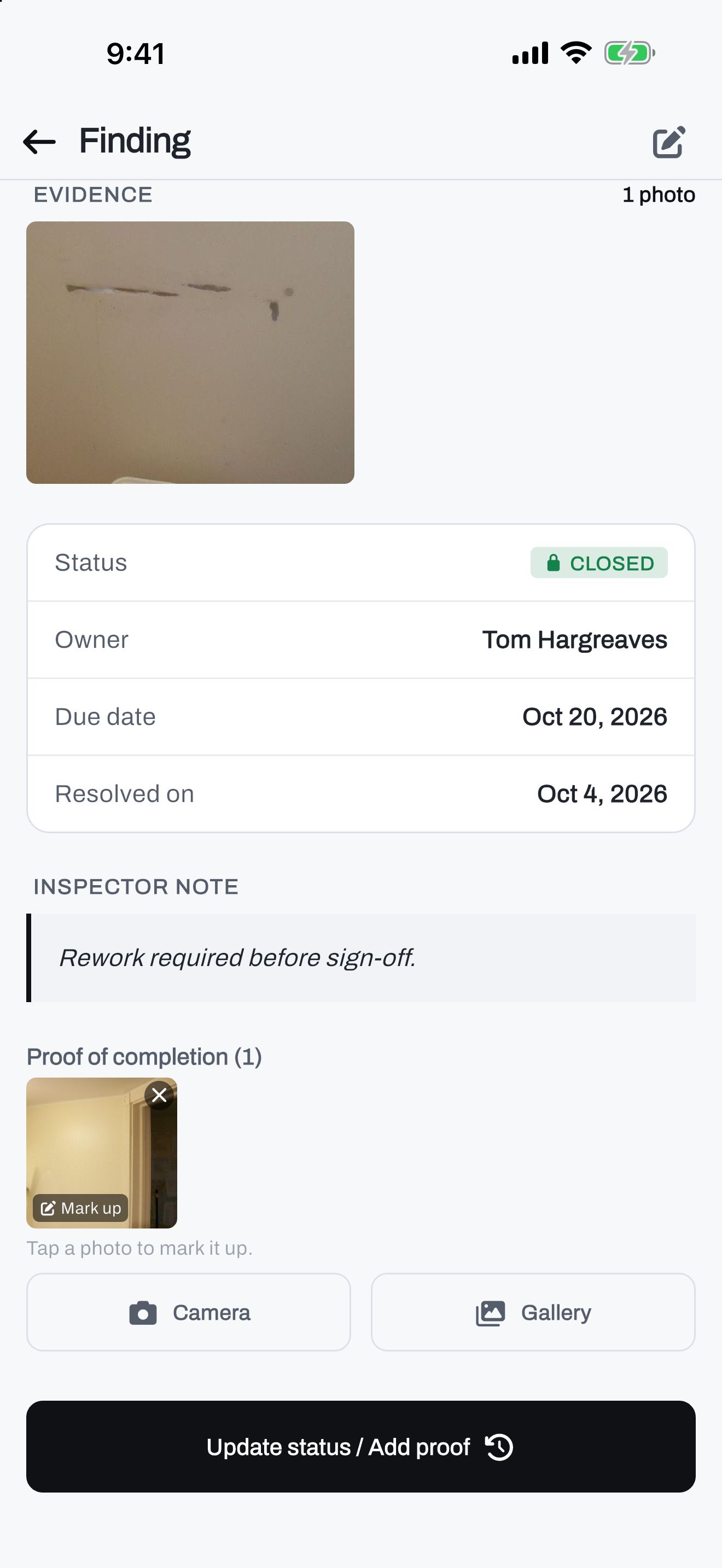
    Assign it to a teammate or a subcontractor, with a due date. A morning digest lists what’s due and overdue.

    Finding details: the evidence photo, status Closed, owner Tom Hargreaves, due and resolved dates, an inspector note and a proof-of-completion photo.
    FIG. 3 — Finding details · proof of fix
  4. 04 / Status

    Track it to closed.

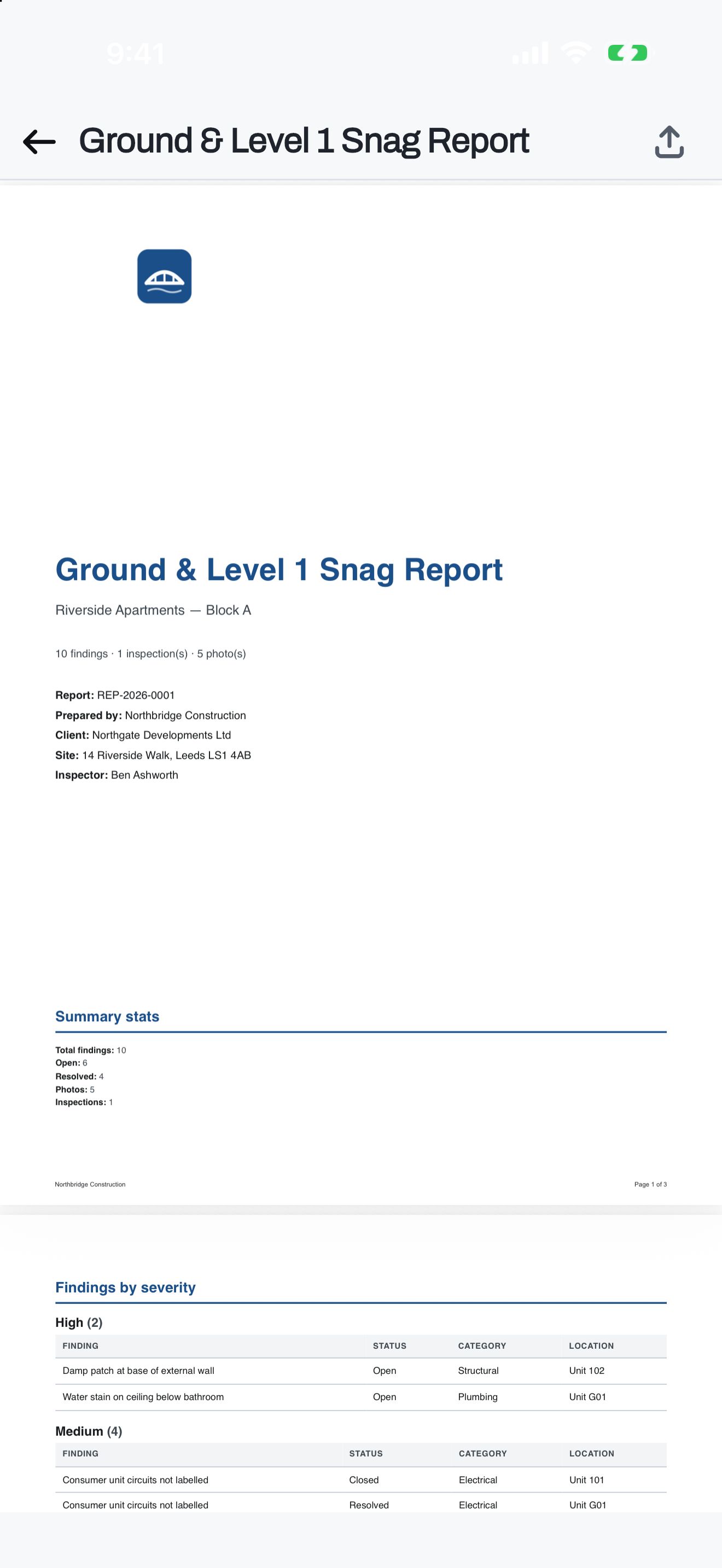
    Open, in progress, resolved, closed, with a photo of the fix. Then one tap for the PDF.

    The Ground & Level 1 Snag Report open in the app: company logo, project, client and inspector on the cover, then findings by severity with status, category and location.
    FIG. 4 — Report preview · Ground & Level 1

Less typing. Better records.

Capture

Snap it, mark it up, say it.

  • Mark up photos with boxes, circles, arrows, freehand and text
  • Dictate titles and details, even with no signal
  • Your team’s common phrases and tags, one tap away
  • Smart defaults you can see and change before you save
Capture in detail

Checklists

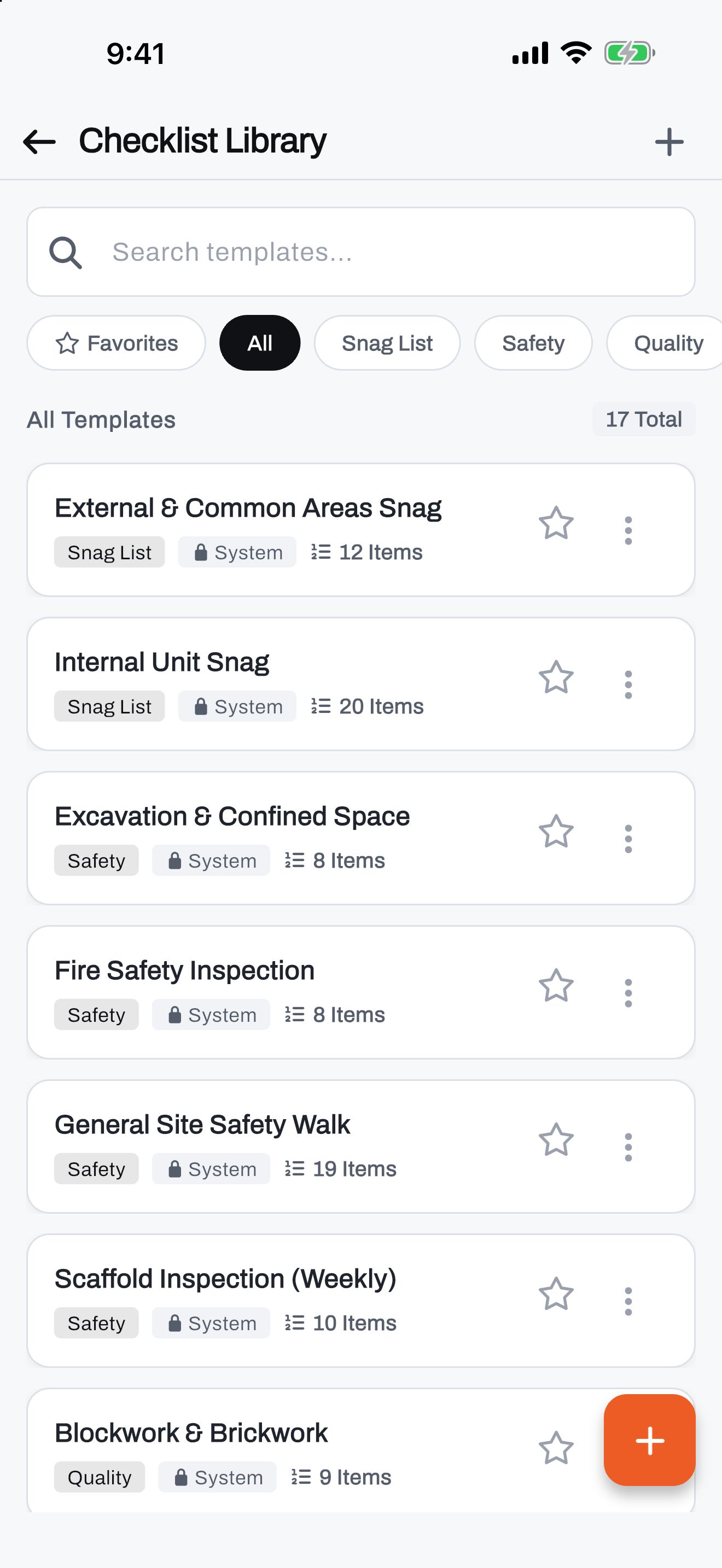
17 built in, or build your own.

Snagging, handover, fire safety, scaffold, pre-pour, commissioning and more. Pass/Fail, readings with ranges, photos and signatures. A failed item becomes a finding in one tap.

All the checklists
Checklist library showing 17 built-in templates, including External & Common Areas Snag, Internal Unit Snag, Fire Safety Inspection and Scaffold Inspection (Weekly).

Reports

A PDF the client respects.

Photos, mark-ups, locations and owners in one tap. On Pro it carries your logo, colour and signature, with no product footer, and one report can cover the whole project.

Reports in detail
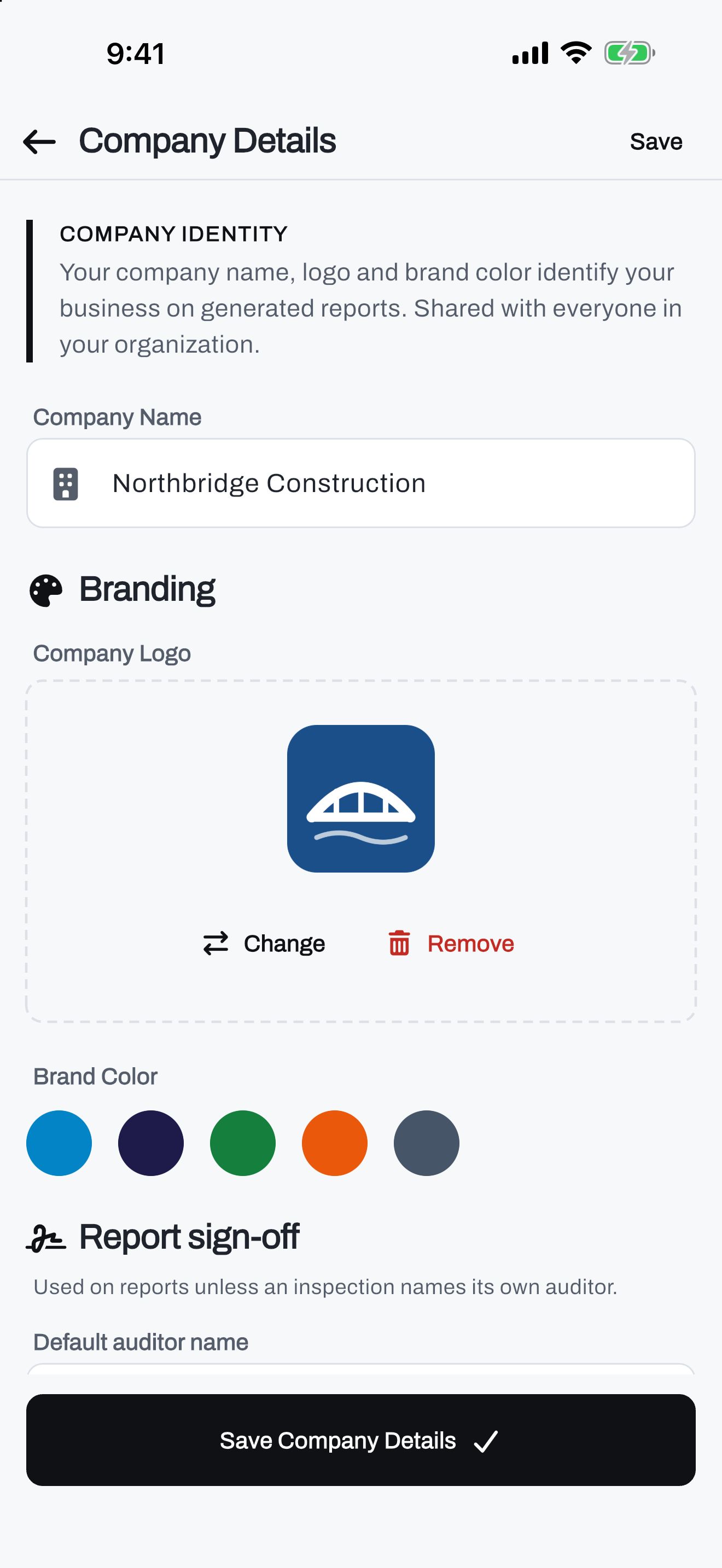
Company details screen with the Northbridge Construction logo, a choice of brand colours and the report sign-off settings.

Offline and team

Works in the basement. Syncs to everyone.

Everything is saved on the phone first. The status chip tells you honestly what’s waiting, syncing or synced, and your whole team works from the same projects.

Offline and sync
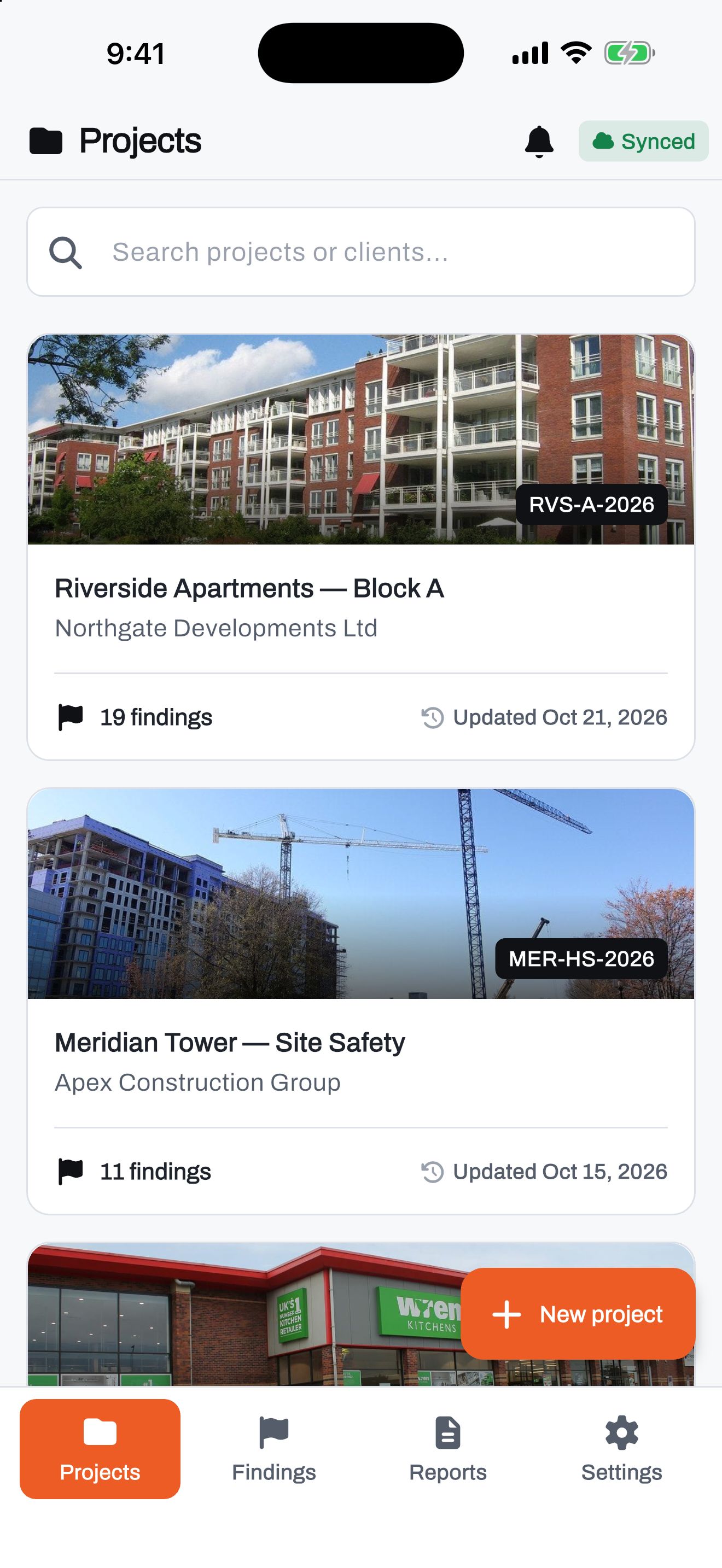
Projects list with Riverside Apartments, Block A and Meridian Tower, Site Safety, their clients and finding counts. Status chip reads Synced.

Your office already has an AI. Now it knows your site.

  • Ask what’s open, what’s overdue and who owns it.
  • Organise who’s on it, with a preview before anything changes.
  • Report to the client in plain words, with photos.

Changes are previewed. Nothing can be deleted.

Pro & Max

ChatGPT and Claude

What’s overdue at Riverside Block A?

Two findings at Riverside Apartments, Block A are past their due date:

Northbridge Construction2 findings

  • Damp patch at base of external wallLevel 1 › Unit 102 · Tom HargreavesOverdue 2 days
  • Water stain on ceiling below bathroomGround › Unit G01 · Sarah CollinsOverdue 1 day

Give them both to Raj Patel, due Friday.

Preview · nothing saved yet2 findings will change

Owner Tom Hargreaves, Sarah Collins → Raj Patel

Due → Friday

Illustration. Your assistant’s own look will differ.

Why teams switch.

  • Calmer than WhatsApp and a spreadsheet.

    Every snag has a place, a photo, an owner and a status, so nothing is lost in a chat thread or a stale sheet.

  • Lighter than a construction platform.

    No training, no sales call, no desktop to set up. Install it, sign in with an email code, start your first walk.

  • Sharper than a checklist app.

    A failed item becomes a defect that’s tracked, at its exact place, until it’s fixed.

Start free. Pay when the team does.

Prices are shown in the app and the store, in your currency.

  • Free

    Run one real job, start to finish.

  • Pro

    For a team that sends reports to clients.

  • Max

    For larger teams and many sites.

Compare plans

Questions.

Does it work offline?

Yes. Capture, checklists, assigning and reviewing all work with no signal, and sync when you’re back online. Signing in and making a PDF report need a connection.

Do my subcontractors need the app?

No. They get the PDF, and you can track their items for them. Teammates who do install it see what’s assigned to them on their own phone.

Is it on iPhone and Android?

Both. Your team can mix them, and everything syncs between them.

What happens if I stop paying?

Nothing you’ve captured is deleted or hidden. You can still open and edit everything; creating more past the Free limits waits until you upgrade.

Can I use it with ChatGPT or Claude?

Yes, on Pro and Max. Connect your company and ask about your site work in plain words. Changes are previewed before they’re saved, and nothing can be deleted.

More in Help

Your next walk-round, done properly.

Free to start. Sign in with an email code and run your first inspection today.

Coming soon to the App Store and Google Play

App Store (coming soon)Google Play (coming soon)