
Features
Place. Proof. Owner. Status.
Everything the app does, in the order a defect lives: where it is, the photo that proves it, who’s fixing it and whether it’s done.
Coming soon to the App Store and Google Play


Every finding knows where it is.
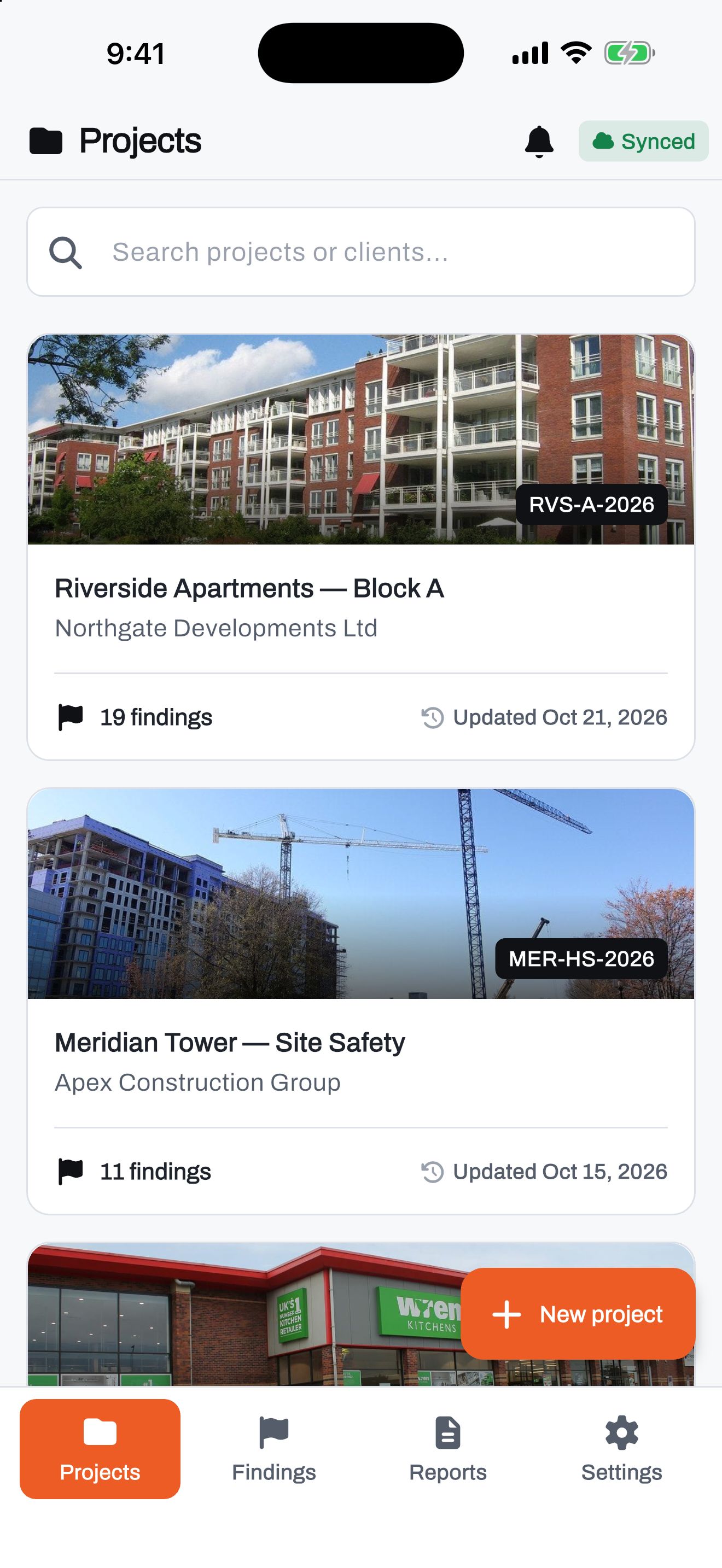
Set a site up once and every inspection, finding and report uses the same structure, in your own words.
- Projects with a client, a reference number and your own location structure
- Name the levels yourself: Building › Floor › Unit, Block › Zone, Plot › Room, down to a single asset
- Each inspection covers the locations you choose, and capture only offers those, so nothing lands in the wrong unit
- The capture screen always shows the project, inspection and location you’re in
- Filter findings by location, inspection, category, tag or checklist
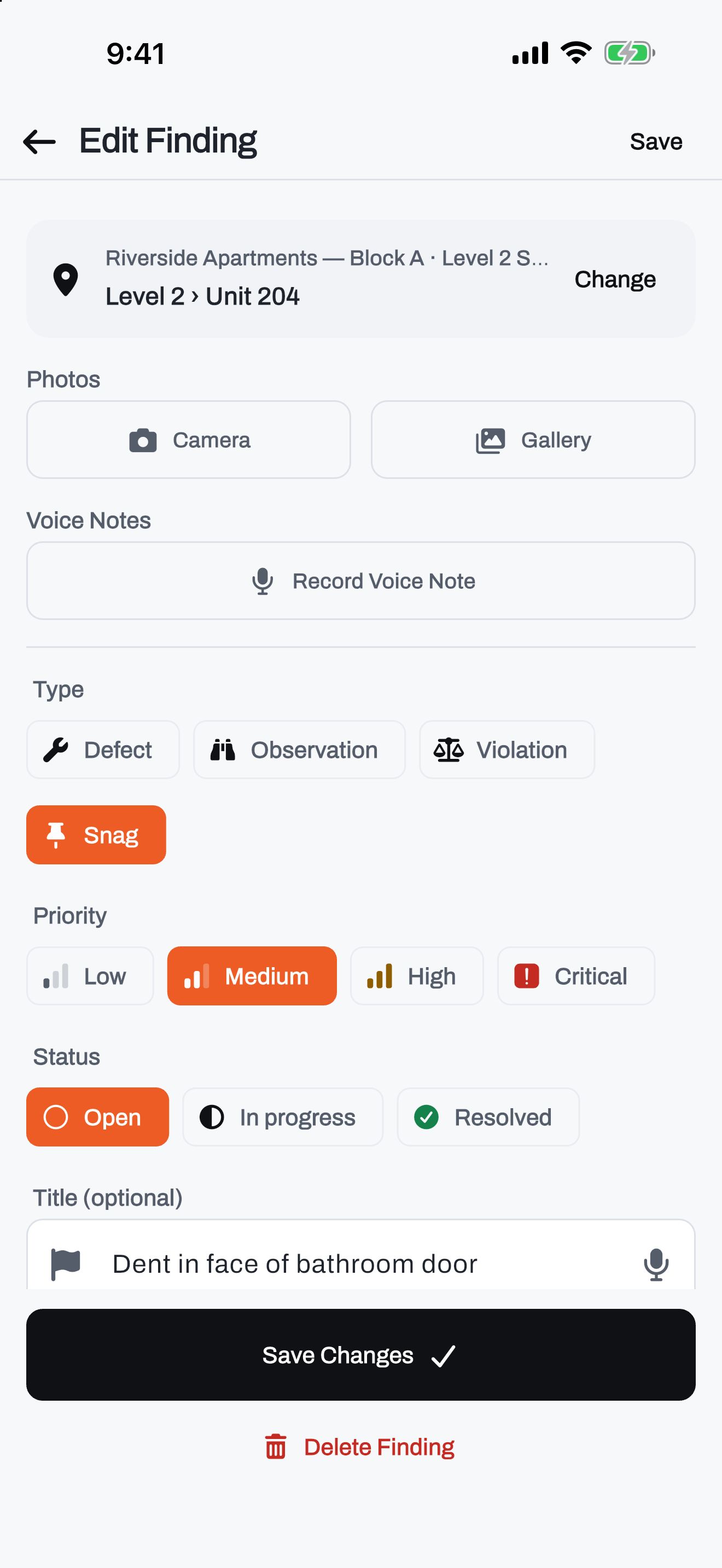
Photos that prove it. Less typing.
Capture a defect in seconds, with the evidence attached and the words mostly done for you.
- Photos from the camera or gallery, uploaded in the background
- Mark-up with boxes, circles, arrows, freehand and text; the marked-up photo goes in the report
- Dictate titles and details. Dictation runs on the phone, so it works offline
- Voice notes on a finding
- Your team’s common phrases and most-used tags, one tap away
- Smart defaults you can see and change before you save
- Project documents such as site plans, layouts and permits, kept with the project and available offline
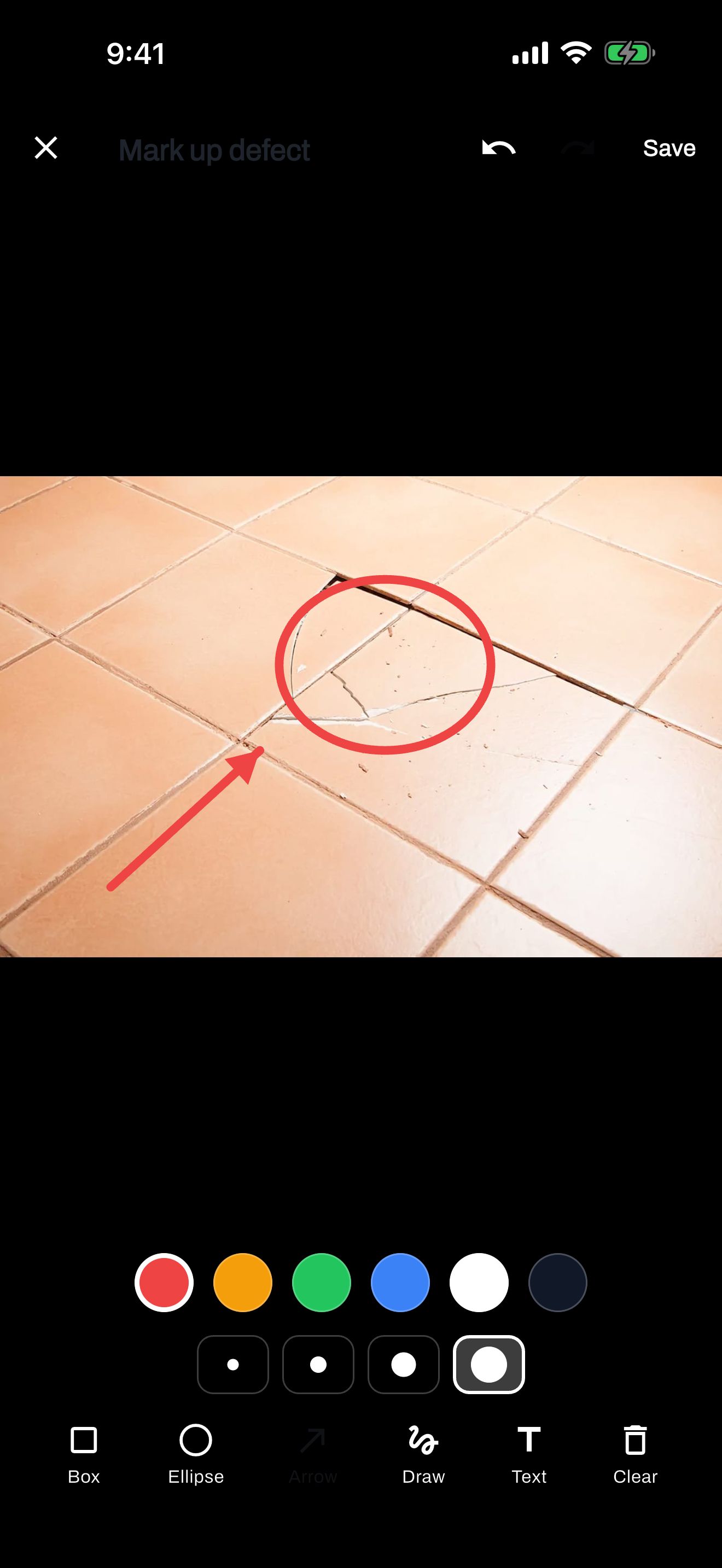
Someone owns every snag.
Give each finding to the person who’ll fix it, inside your team or outside it.
- Assign to a teammate, who sees it on their own phone after sync
- Or to an outside contact (a subcontractor, the client’s staff) with name, company, role, email and phone
- Due dates with quick picks: today, three days, a week, two weeks
- Priority from low to critical
- Roles: the owner runs the company and billing, admins manage projects and members, members capture
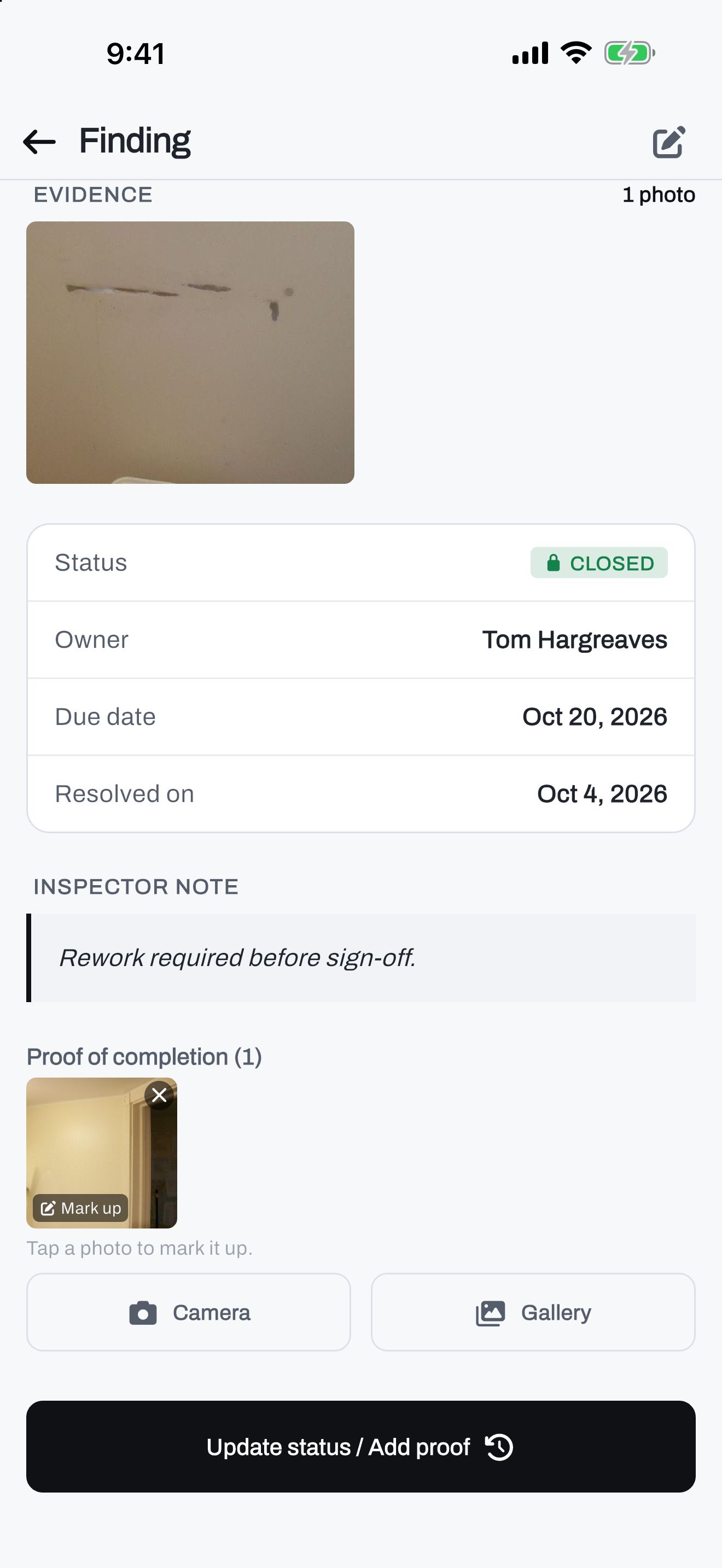
Tracked until it’s closed.
A finding is a work item, not a note. It moves until someone confirms the fix.
- Open, In progress, Resolved and Closed; closing comes after the fix is resolved
- You’re asked for a photo of the fix when you resolve it; reports show it under "After"
- A history timeline on every finding: who changed what, and when
- A morning digest on the phone of what’s due today and what’s overdue. It works offline
- Remediation steps kept with the finding
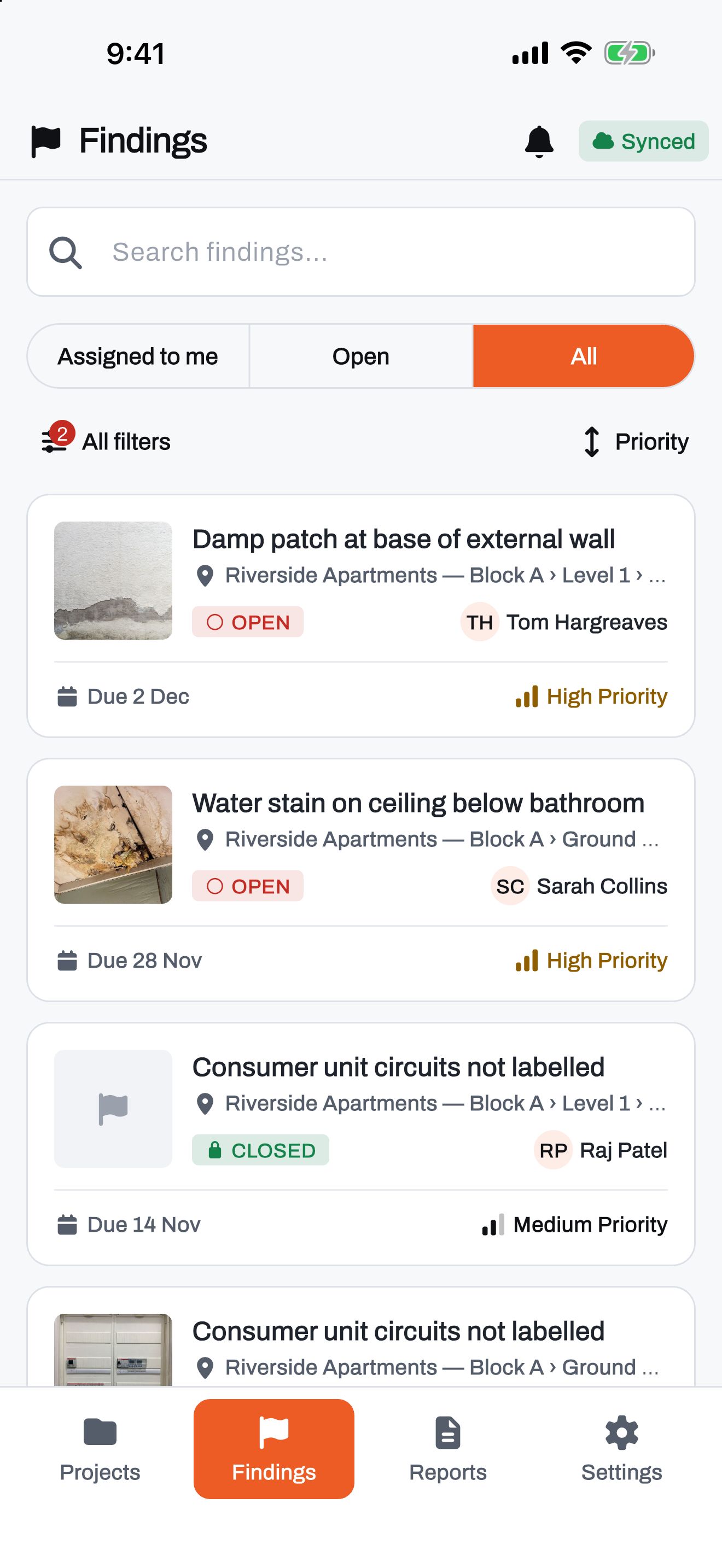
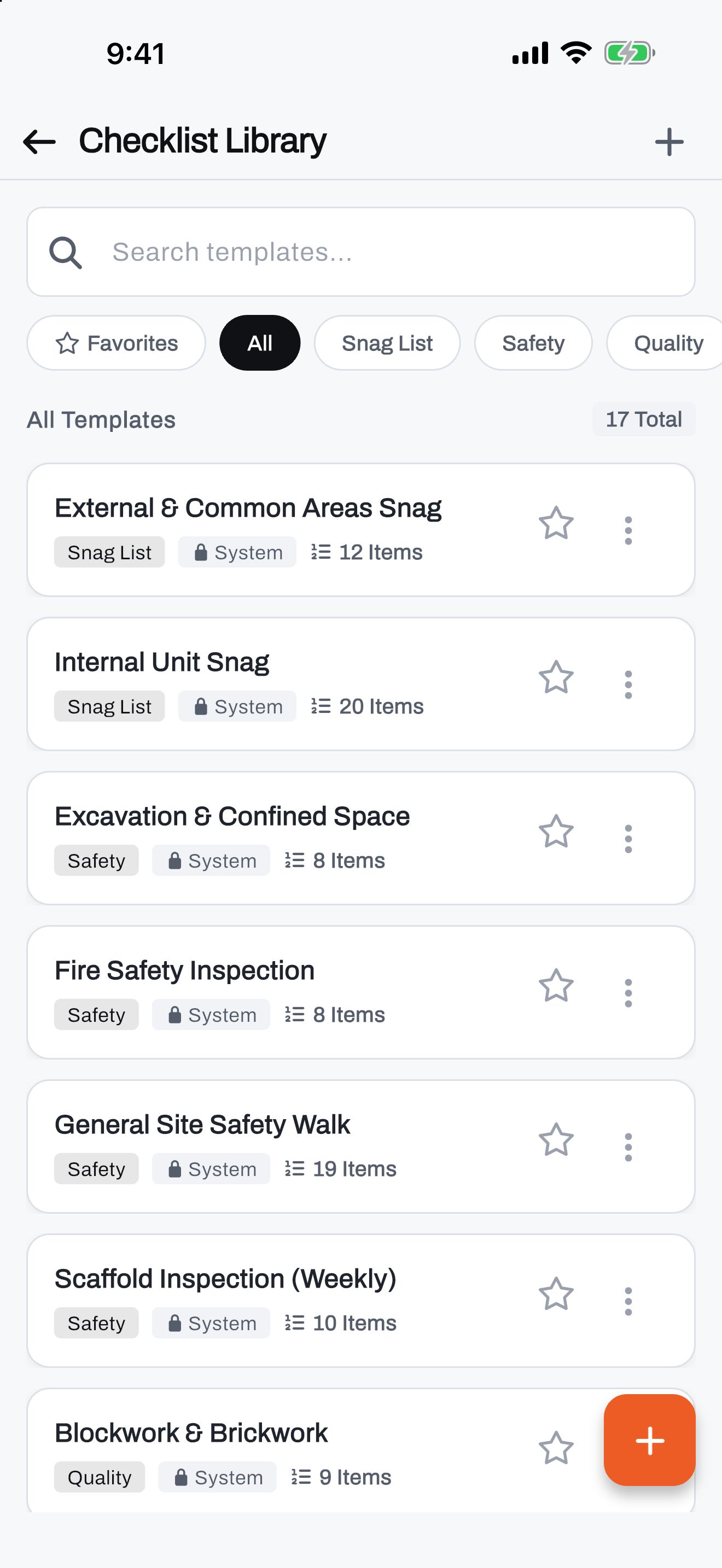
17 checklists built in. Or build your own.
Walk a checklist at a location and a failed item becomes a finding in one tap, carrying the reading or the failed answer with it.
- Group items into sections; make items critical, require a photo, or require a note on fail
- A failed critical item fails the round, whatever the score
- Copy a built-in checklist and change it, or start from blank
- A checklist edit never changes rounds already walked or reports already made
- Score checklists with weights and a pass mark Pro
- Follow-up questions that appear only when an answer calls for them Pro
Every plan can run scored checklists and follow-ups; Pro and Max can build them.
Answer types
- Pass / Fail
- with N/A
- Yes / No
- either answer can fail
- Choice
- one or several; mark failing options
- Number
- unit and acceptable range; out of range fails
- Text
- with dictation
- Date
- optionally with a time
- Photo
- a minimum number of photos
- Signature
- drawn, with the signer’s name
- Instruction
- guidance with nothing to answer
The built-in library
Snag List
- Internal Unit Snag
- External & Common Areas Snag
Safety
- Fire Safety Inspection
- General Site Safety Walk
- Scaffold Inspection (Weekly)
- Excavation & Confined Space
Quality
- Pre-Pour Concrete
- Blockwork & Brickwork
- Waterproofing & Tanking
Handover
- Pre-Handover Snag List
- Practical Completion & Client Handover
Site Progress
- Weekly Progress Walk
Facilities & Maintenance
- Property Condition Walk
- Statutory Compliance Check
Building Survey
- Schedule of Condition
Commissioning (MEP)
- HVAC Commissioning
- Electrical Installation Test
A report the client respects.
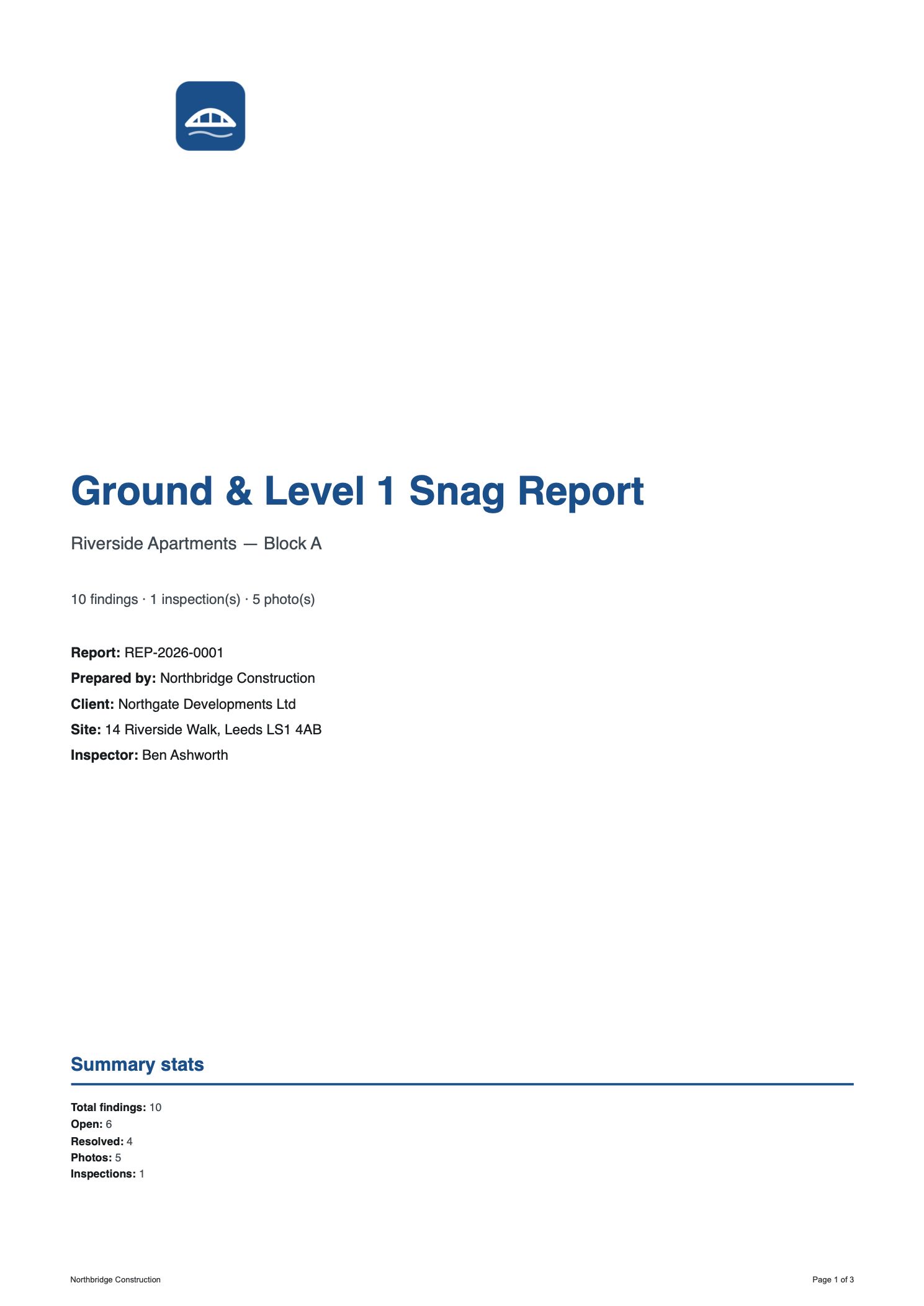
One tap for a PDF of the inspection, shared from your phone by email, messages or any app.
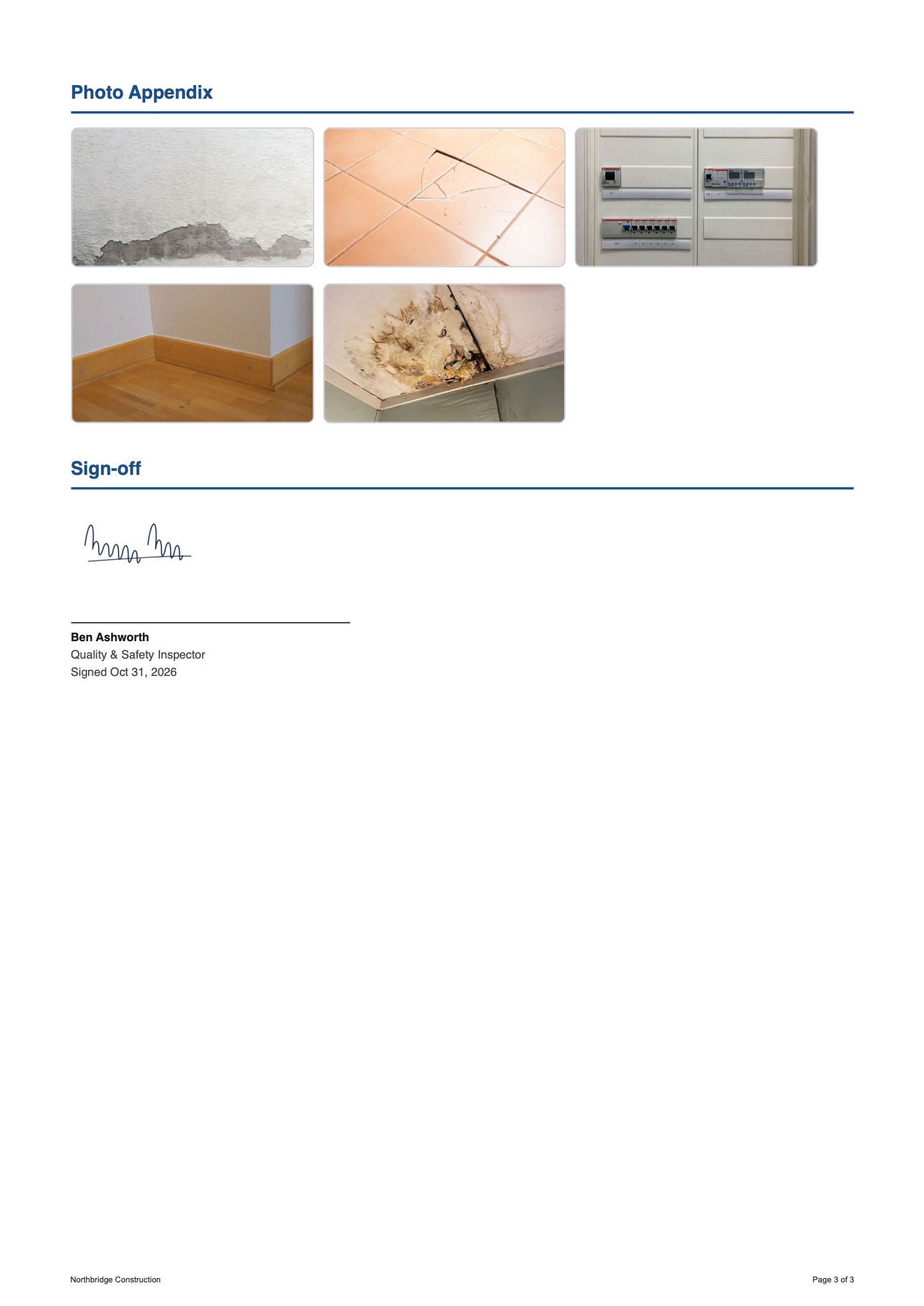
- Photos and mark-ups, locations, priorities, statuses, owners and due dates
- Proof-of-fix photos under "After", and your sign-off
- Your logo, brand colour and signature, with no product footer Pro
- Report templates, layouts and your own terminology Pro
- One report that rolls up every inspection in a project Pro
- AI-drafted summaries you review and edit before sending Pro
Free includes 3 PDF reports in total, in the standard layout with a small product footer. Reports are built on our servers, so making one needs a connection.
Works with no signal.
Basements, plant rooms and remote sites rarely have signal. Everything is saved on the phone first and syncs in the background.
Works offline
- Projects, inspections and findings
- Photos, mark-up and dictation
- Checklists and readings
- Assigning, statuses and review
Needs a connection
- Signing in
- Making a PDF report
- Company profile changes
- Subscription checks
The status chip says what’s true: offline, changes waiting, syncing, or synced. Sign in on a new phone and your work comes with you.
Built for a team, not one phone.
Invite by email Pro
Teammates install the app, sign in with the invited email and join your company.
One subscription
The owner’s plan covers the whole company. Teammates don’t buy their own.
Several companies
One account can belong to your own company and a partner’s, each kept separate.
Ask your snag list anything.
Connect your company to ChatGPT or Claude. The office reviews, assigns, plans and reports in plain words, without another dashboard to learn.
Your next walk-round, done properly.
Free to start. Sign in with an email code and run your first inspection today.
Coming soon to the App Store and Google Play